Knowing your square footage before you order helps you plan more accurately. Here are two simple ways to measure your yard: by hand or with Google Maps.
Pick the method that works best for you. Both give you a solid square footage number to order from.
Quick estimate with Google Maps
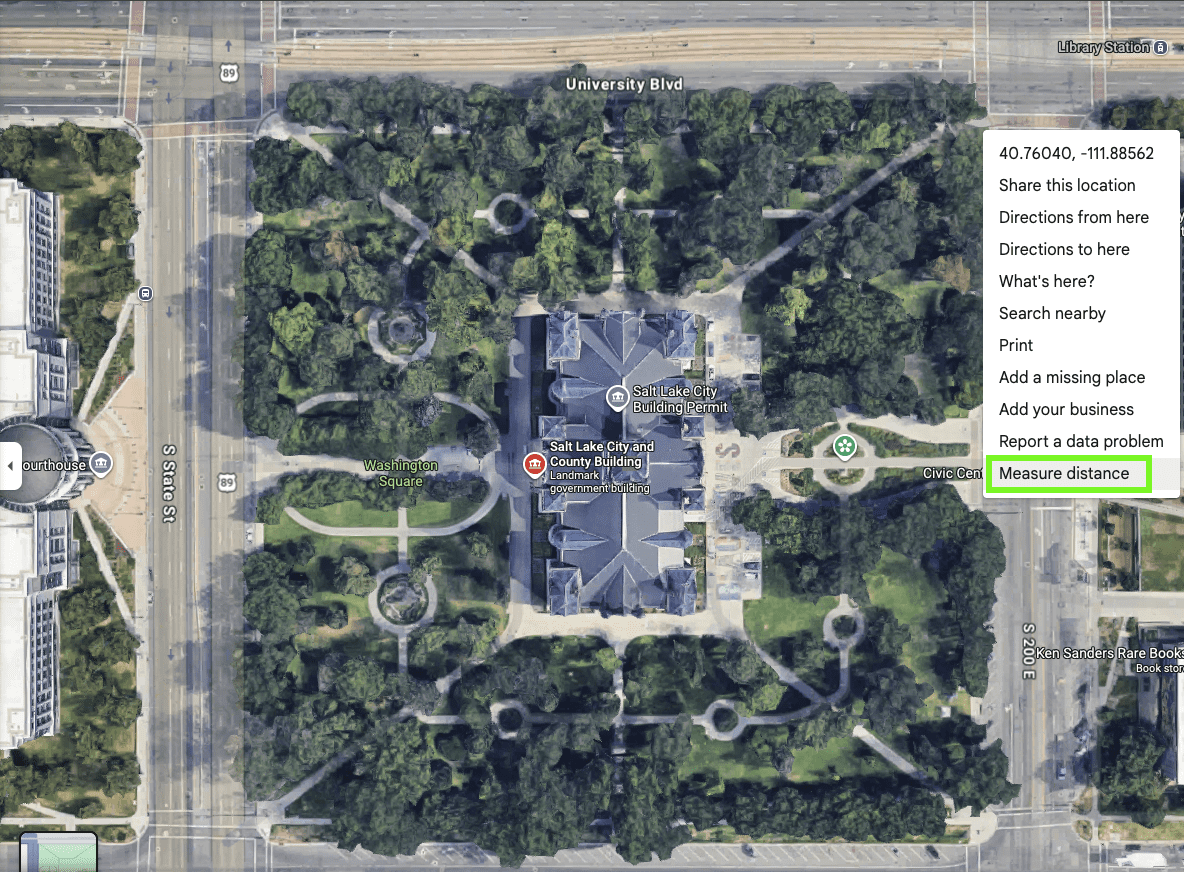
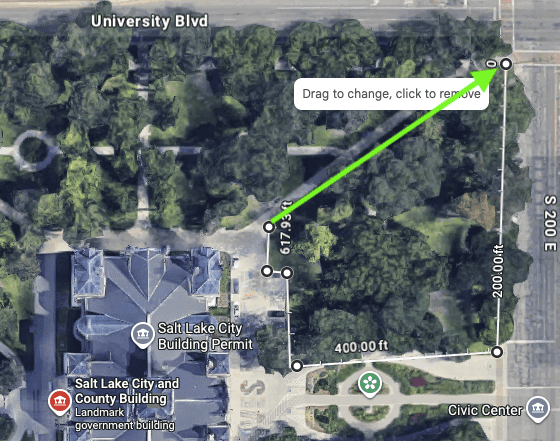
Google Maps gives you a fast way to estimate lawn size. Search your address, open Google Maps, zoom in, right-click, and select Measure distance. Then click around the lawn area to get an approximate measurement.
Accurate measurements by hand
Use a tape measure and graph paper to sketch and measure each section of your yard. Break the lawn into shapes, calculate each area, and add the totals together.
Get a quick estimate
How to use Google Maps to measure your lawn
1. Find your address
Open Google Maps and search for your home or business address.
2. Zoom in on the property
Zoom in until the lawn area is easy to see and trace.
3. Turn on the measurement tool
Right-click and select Measure distance. On mobile, tap and hold to drop a point.
4. Trace the lawn area
Click around the edges of the lawn until you return to the starting point. Google Maps will give you an approximate measurement.
5. Double-check if needed
If trees, fences, or rooflines block part of the yard, make your best estimate or measure by hand for a more accurate number.
How to measure your lawn by hand
01
Gather your tools
You'll need a long, flexible tape measure, graph paper, a pencil, and a calculator. Sketching your yard before you start makes it easier to stay organized as you measure each section.
02
Break your lawn into shapes
Most yards aren't a single rectangle. Walk your lawn and divide it into recognizable shapes. Sketch each section on your graph paper before measuring.
03
Measure and calculate each section
Measure the length and width of each section. Multiply to find the area of rectangles and squares.
04
Add 5–10% for waste
Always order a little more than your exact total. The extra covers cuts around curves, flower beds, pathways, and any small measurement gaps. It prevents a last-minute shortage on installation day.
05
Place your order
Once you have your total square footage, it’s time to order the sod. If you're unsure about your numbers, contact us before placing your order, and we'll help you confirm the right amount.
What happens when your measurement is off
Order too little, and your project stalls
Running short on sod can delay the project and leave parts of your yard unfinished. A solid measurement, with a little extra for waste and cuts, helps you avoid that.
Order too much, and you waste money
Extra sod can go to waste quickly in Utah’s heat and dry air. A good measurement helps you order more accurately and avoid unnecessary costs.
Complex yards need a closer look
Curved edges, flower beds, and uneven borders can make the total harder to estimate. In those cases, break the yard into smaller sections or reach out to us, and we can help.
Common questions about measuring for sod
How accurate does my measurement need to be?
Get as close as you can, but don’t worry about being exact down to the last square foot. We recommend adding a little extra to cover small measurement differences and cuts around edges or obstacles.
Should I always order extra sod?
Yes. Plan for 5–10% above your measured square footage. The extra accounts for cuts around curves, corners, flower beds, and anything that doesn’t lay out in a straight line.
Can Monarch Sod measure my yard for me?
Yes. Our team is available to measure your yard for a small fee. It’s a good option for large or complex yards, or if you want to be sure before you order. Contact us to schedule.
What if my yard has an irregular shape?
Break the yard into smaller sections, measure each section separately, and then add the totals.
What tools do I need to measure my yard?
A long, flexible tape measure is the main tool. Graph paper and a pencil help you sketch and organize your sections. A calculator makes it easy to total everything up. If you’d rather skip the hands-on work, the Google Maps method is a good option for a quick estimate.
What is the easiest way to measure a lawn quickly?
Open Google Maps, search your address, right-click on your property, and select “Measure distance.” Click each corner of your lawn area to trace the perimeter, and Google Maps will calculate the total. It’s not as precise as hand-measuring, but it’s a reliable starting point for planning and getting a quote.